Guide · Room Makeover
Room Makeover · From a Photo, in Under a Minute
Upload a room photo and see a full room makeover in about 30 seconds. Ten real room makeover ideas below — pick a style, borrow the direction, or use the same AI to try it on your own room.
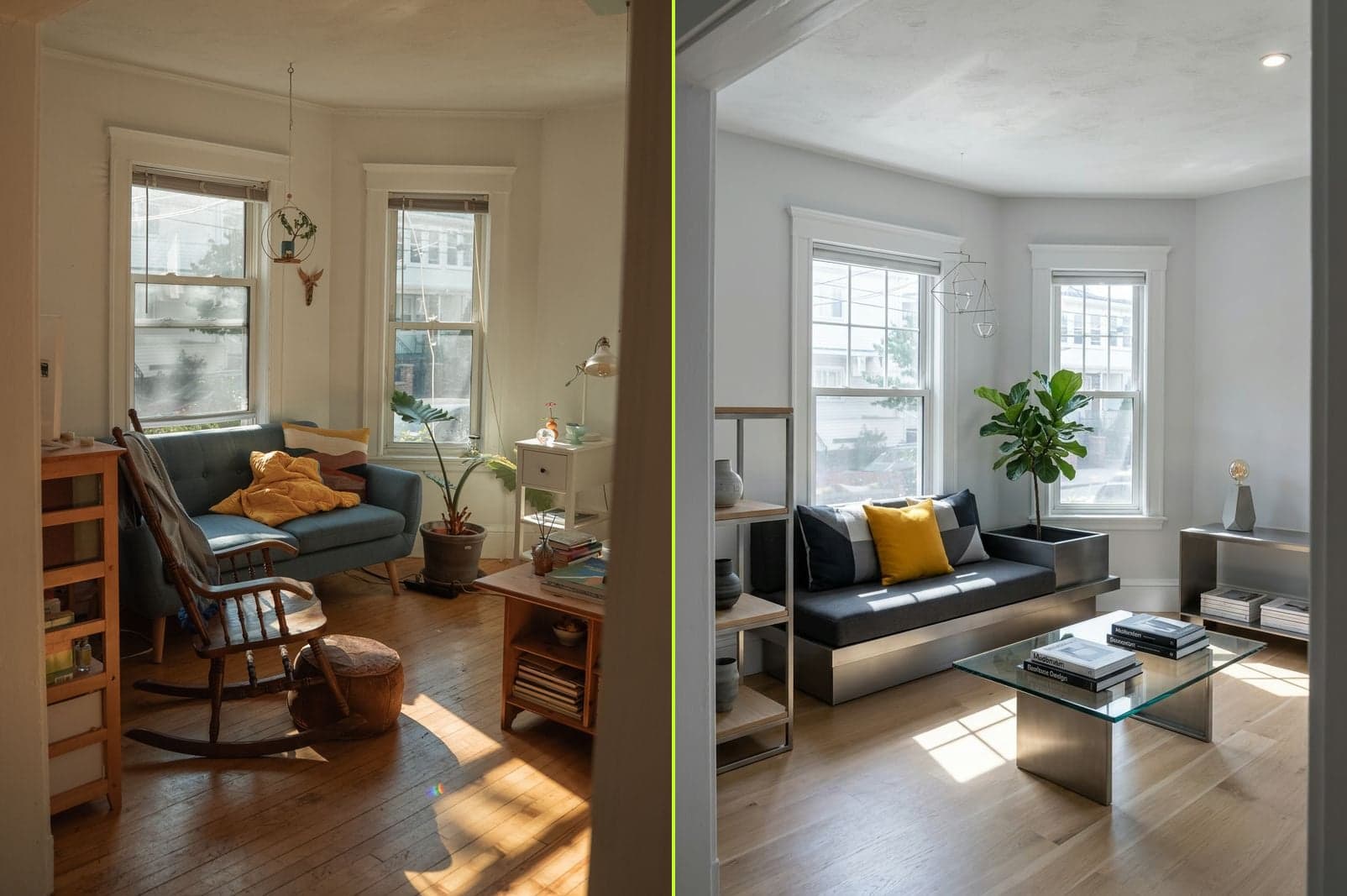
Cluttered lounge → modern room makeover in under a minute.
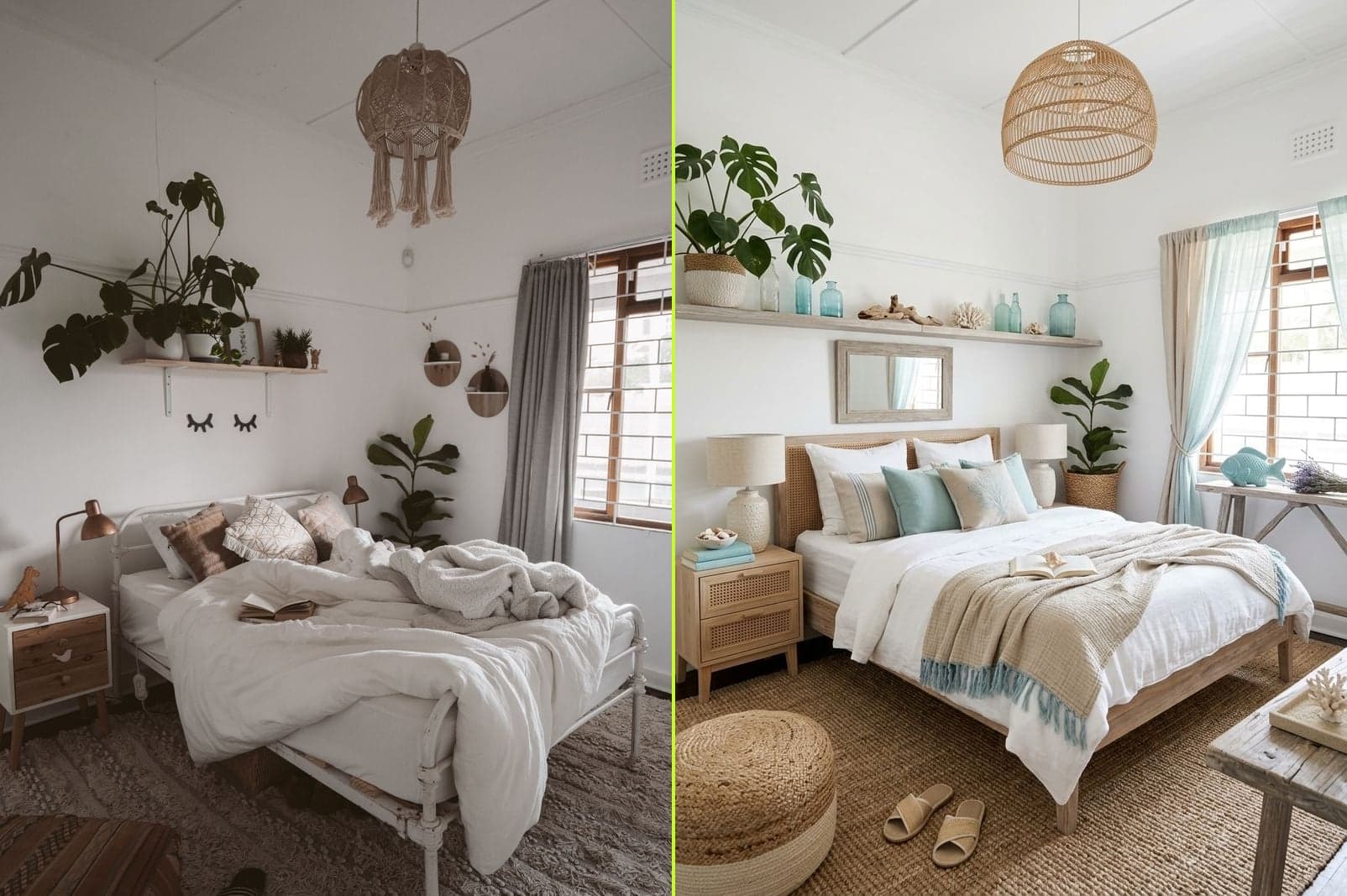
Boho bedroom → coastal room makeover with the same footprint.
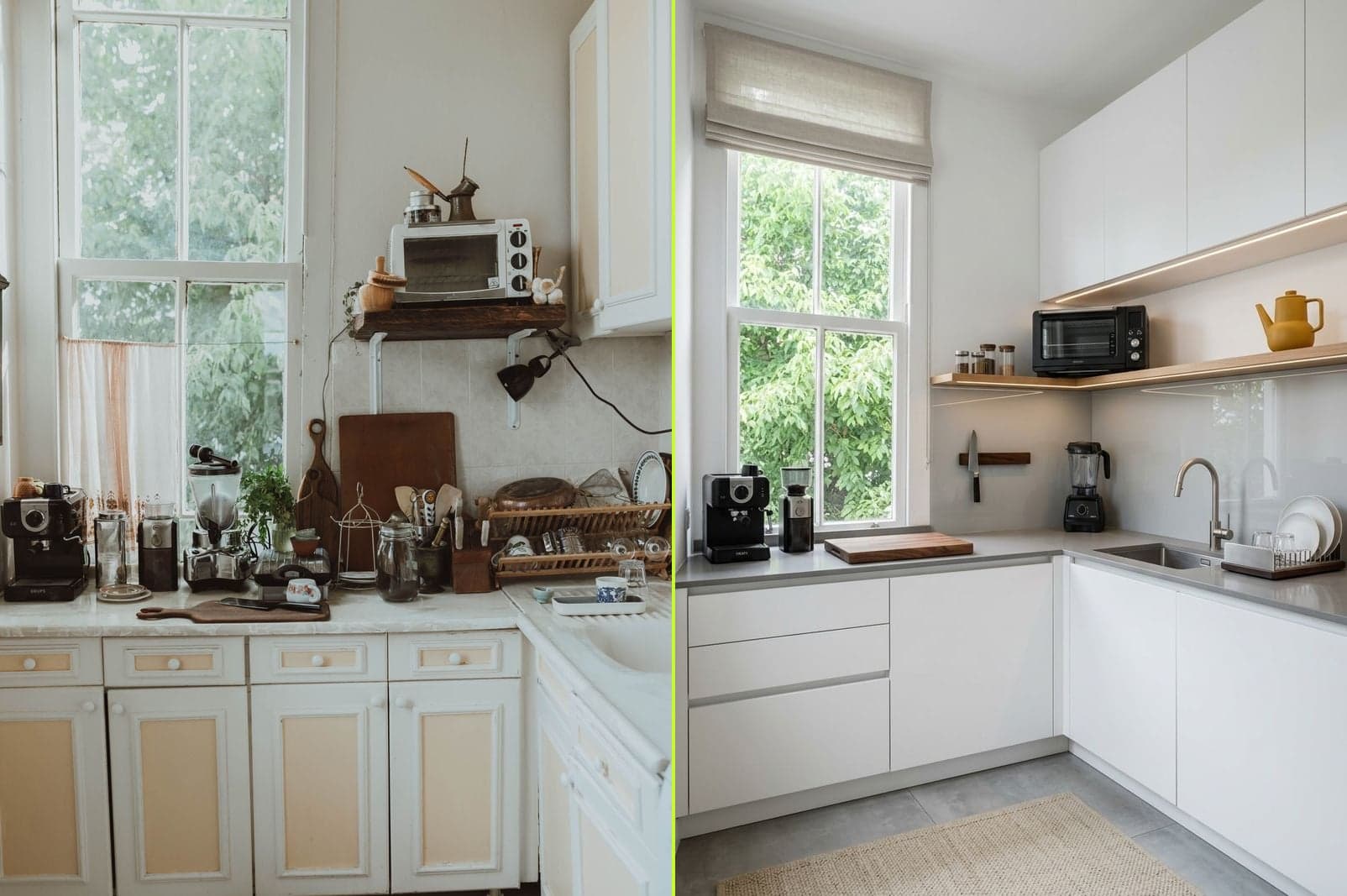
Outdated kitchen → modern room makeover · cabinets + backsplash + counters.
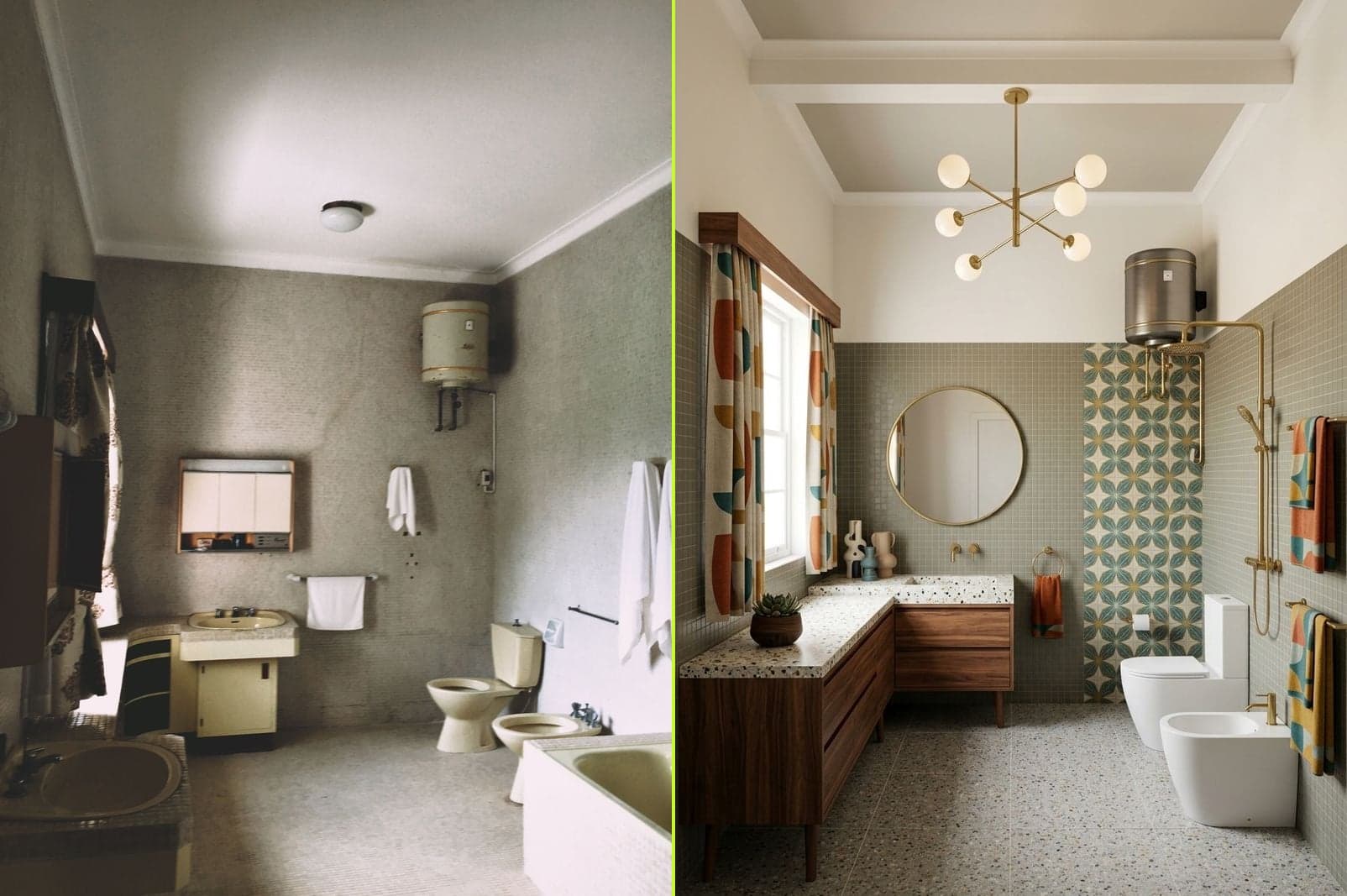
Old bathroom → mid-century room makeover without touching plumbing.
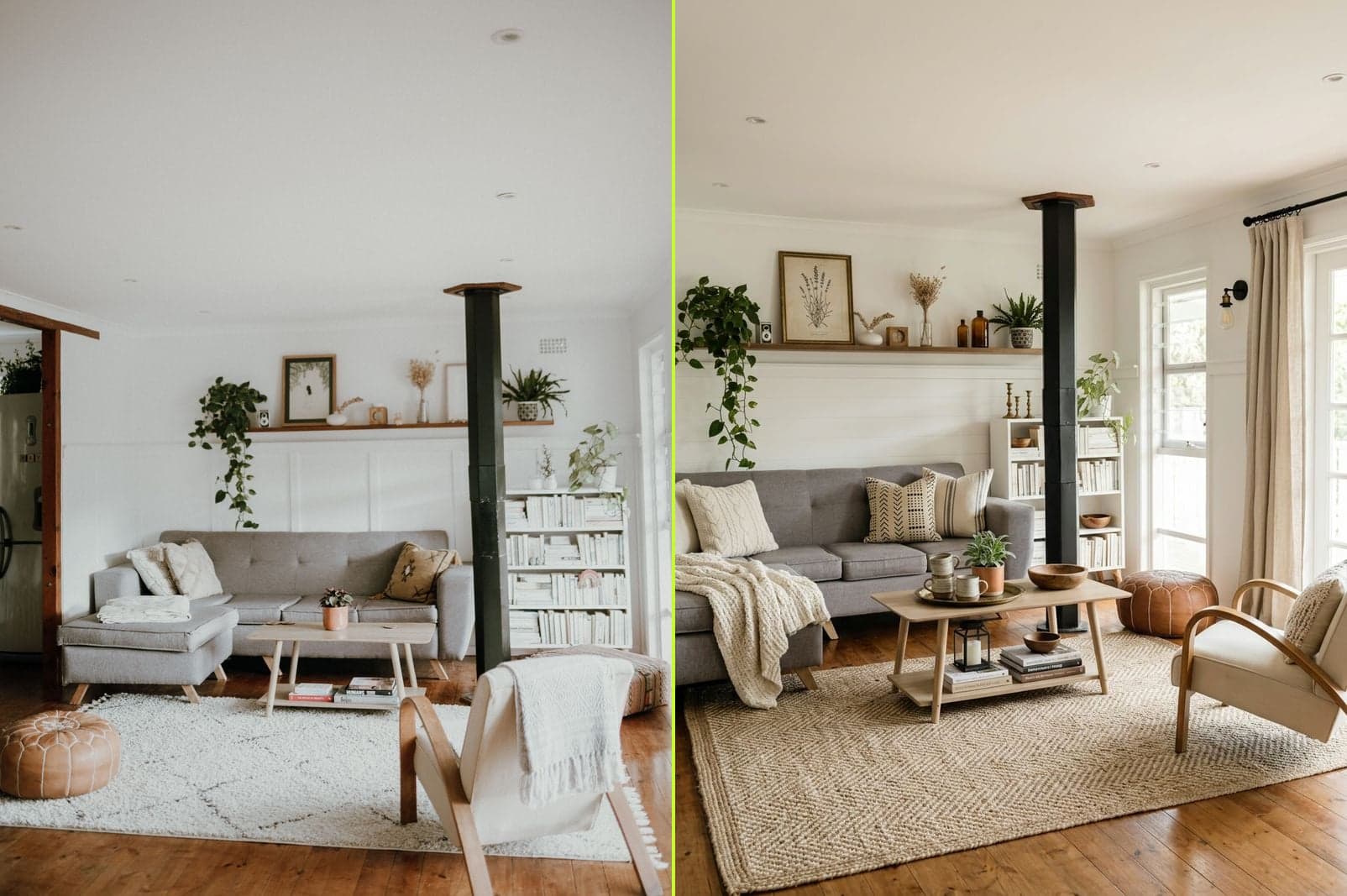
Living room makeover · farmhouse warmth · same furniture footprint.
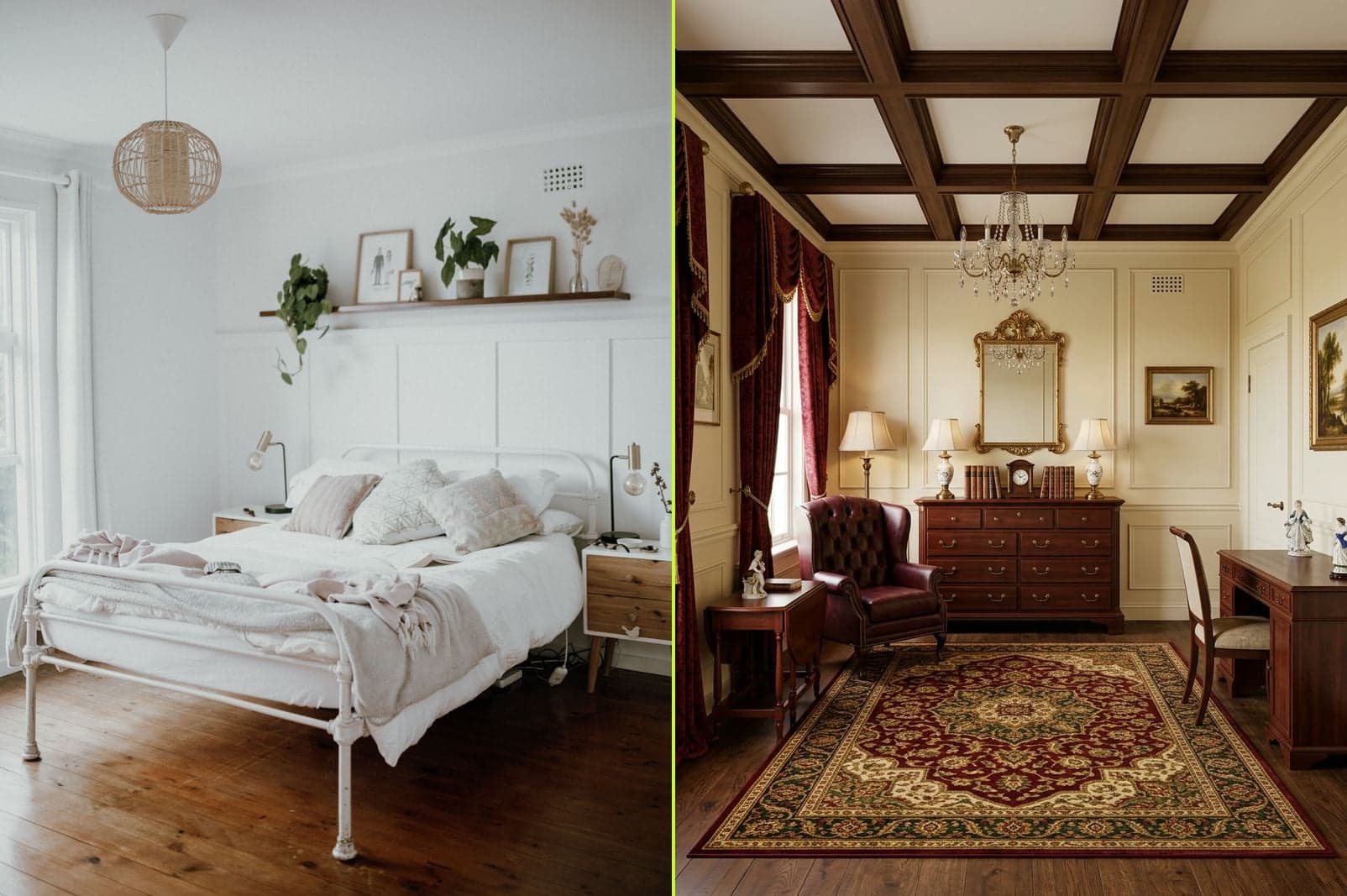
Bedroom room makeover · traditional style · full reimagine.
What Makes a Great Room Makeover
A good room makeover has a point of view. It's not "buy new stuff" — it's picking a direction (a style, a mood, a color story) and letting every choice in the room point at it. The reason room makeover projects stall halfway is that the direction wasn't decided before the shopping started. AI room makeover flips that order: you see the finished direction in 30 seconds, then decide what to actually buy. That's the difference between a room makeover you finish and one that becomes a pile of half-decisions.
Room Makeover by Budget
Every room makeover fits one of three budget bands. Pick the one closest to yours — the AI room makeover tier maps directly onto it.
Room makeover on a $100 budget
Plants, throw pillows, a new lampshade, one gallon of paint on a single accent wall. This is the Tidy or Designer tier of AI room makeover — the room's furniture stays, everything soft changes. Best for renters and first-time room makeovers where nothing needs to be replaced.
Room makeover on a $1,000 budget
A new sofa or bed frame, a rug that pulls it together, art on the largest empty wall, and paint on all four walls. This is the Renovate tier of AI room makeover — furniture and finishes change, the room's shape stays. The most common real-world room makeover budget.
Room makeover on a $10,000+ budget
Kitchen cabinets, bathroom tile, hardwood floors, structural paint, and every piece of furniture in the room. This is the Rebuild tier of AI room makeover — everything but the room's shape gets reimagined. Do the AI room makeover before you sign a single contract.
Room Makeover Ideas by Room Type
Different room types benefit from different room makeover strategies. Here's the shortest path to a photorealistic makeover for each.
Living Room Makeover
The living room makeover with the highest visual return: swap the sofa, add a large rug, restyle the coffee table, put art on the biggest wall. Try AI room makeover in Modern for lightness or Modern Farmhouse for warmth — both flatter open-plan living rooms.
Bedroom Makeover
Bedroom makeover is about calm. Keep the bed, change the bedding, add layered lighting, plant one large green thing near the window. AI room makeover in Coastal or Scandinavian style works especially well — soft palettes photograph beautifully.
Kitchen Makeover
Kitchen makeover is where AI earns its keep — cabinets, backsplash, countertops, and hardware all rework in one pass. Modern Farmhouse is the top kitchen makeover style; Modern is the safe default. Do the AI room makeover before you order a single cabinet sample.
Bathroom Makeover
Small footprint, high visual density. Bathroom makeover in Mid-Century Modern or Coastal transforms the room without touching plumbing lines. AI room makeover here is especially useful because bathroom tile is expensive to get wrong.
Before You Start a Room Makeover
Two things separate a room makeover that finishes from one that stalls: a good starting photo, and a clear direction. Here's a checklist for each.
Photograph your room like a room makeover pro
- Shoot wide — corner-to-corner, not one wall at a time. AI room makeover works better with context.
- Turn on every light. Ambient + task + accent — the AI reads lighting to keep the makeover photorealistic.
- Level the phone. Tilt distorts vertical lines and shows up in every room makeover result.
- Move floor clutter out of frame. The AI can declutter, but a clean starting photo gives you a cleaner makeover.
- iPhone HEIC is fine. Any phone camera from the last 5 years is enough for a great room makeover.
Write a 3-line room makeover brief before you generate
- Direction — one target style (Modern / Coastal / Modern Farmhouse / …). Pick one.
- Constraint — one thing that must stay (a piece of furniture, a paint color, a lease rule).
- Budget band — $100 / $1,000 / $10,000. This picks your room makeover tier.
Room Makeover Styles That Actually Work
Modern
The safe first room makeover pick — clean lines, neutral palette, minimal ornament. Works for most rooms.
Scandinavian
Room makeover in light woods and soft whites. Feels bright and calm even in a small room.
Modern Farmhouse
The top kitchen room makeover style. Shiplap, warm woods, black hardware. Also loved for living rooms.
Mid-Century Modern
Walnut, brass, tapered legs. A room makeover in Mid-Century instantly reads retro-cool.
Coastal
Room makeover in rattan, linen, driftwood, soft blues. Opens up bedrooms and bathrooms especially well.
Traditional
Room makeover with weight and warmth — layered textiles, classic silhouettes, rich woods.
How an AI Room Makeover Works
- Step 1
Upload a room photo
Phone photo is fine. Wider is better. A good starting photo makes a better room makeover.
- Step 2
Pick a budget-matched tier
Tidy for $100 refreshes. Designer for restyles. Renovate for $1,000+ makeovers. Rebuild for full room makeover.
- Step 3
Pick a target style
Modern, Scandinavian, Modern Farmhouse, Mid-Century, Coastal, Traditional. One direction. Room makeover works best with commitment.
- Step 4
See the room makeover in ~30 seconds
Photorealistic. Download, re-roll a different take, or use the direction to actually shop.
Try Your Own Room Makeover
Upload the room · pick your tier and style · see the room makeover in about 30 seconds.
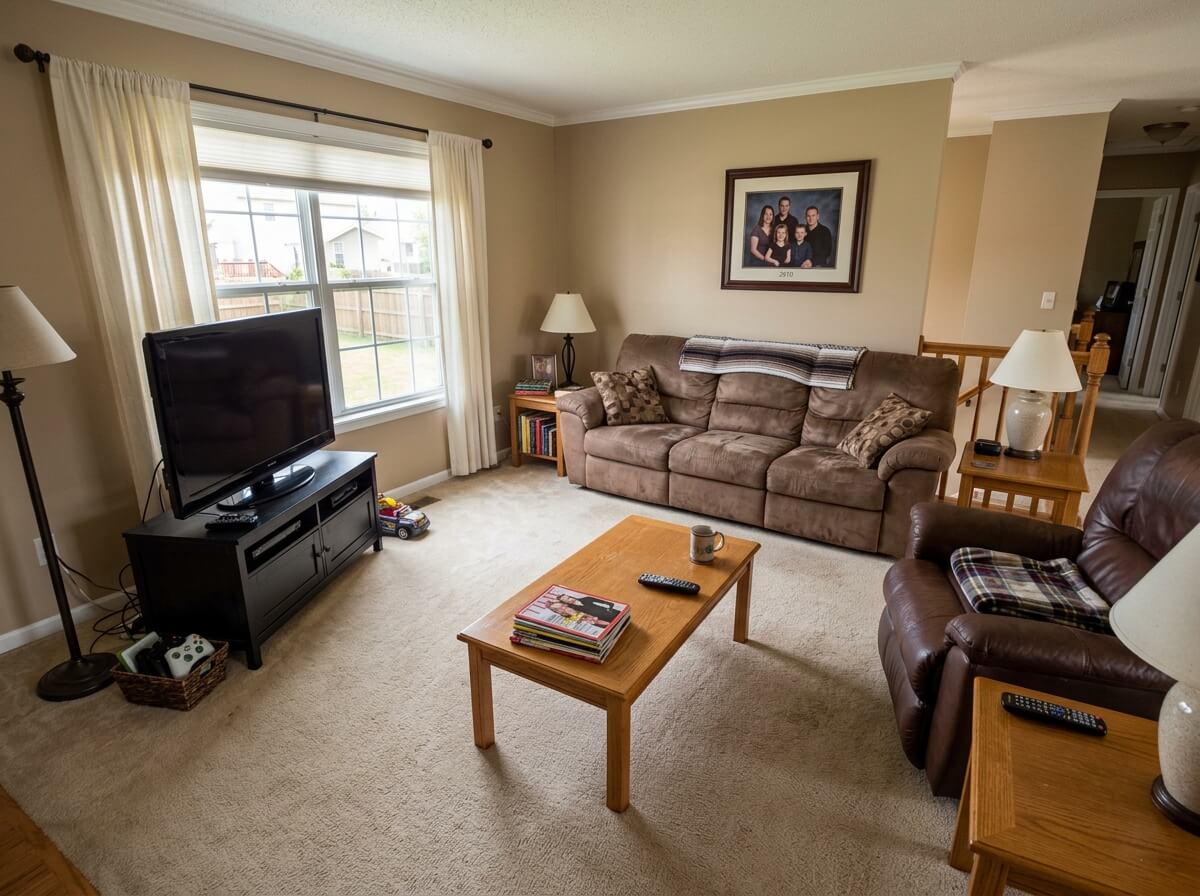
1 free redesign · no signup
Room Makeover · Frequently Asked Questions
What is a room makeover?
A room makeover is a redesign of a room's look and feel without necessarily changing its structure — usually new furniture, decor, paint, or a combination. A room makeover can be as small as swapping soft goods or as large as replacing every finish. AI room makeover tools let you see the finished result from a photo of your current room before you buy anything.
How does an AI room makeover work?
You upload a photo of your room, pick a level (Tidy, Designer, Renovate, or Rebuild) and a target style, and the AI generates a photorealistic version of the same space with your chosen room makeover applied. Walls, windows, and structural elements stay in place. Only the things you asked to change actually change.
Is AI room makeover free to try?
Yes. Your first AI room makeover is free with no signup required. Sign in with Google and you get one more free room makeover render. After that, credits are one-time purchases from $9 — no subscription, credits never expire.
Can I do a small room makeover on a $100 budget?
Absolutely. The Tidy and Designer tiers of AI room makeover target exactly this — soft goods, small decor, one accent wall of paint. See the AI room makeover result first, then buy only what you'd actually keep. A $100 room makeover finished beats a $1,000 room makeover abandoned halfway.
Which room type is best for a first room makeover?
Living rooms give the most dramatic AI room makeover results because there's the most surface area — sofa, rug, walls, art all rework at once. Kitchens are second (cabinets and backsplash carry the visual). Bathrooms are the highest ROI per square foot. Start with whichever room bugs you most.
Do I need before-and-after photos for a room makeover?
Just before. Upload one photo of the room as it is now — the AI room makeover generates the after side. That's the whole point: you don't need to imagine the makeover, you see it.
Can AI room makeover work for rentals?
Yes — especially the Tidy and Designer tiers. Nothing structural changes; you're testing what a room makeover would look like with new bedding, plants, art, and a rug. Screenshot the winner, buy only those items, keep your deposit safe.
How long does a room makeover take with AI?
The AI room makeover generation takes about 30 seconds. The whole exploration (try 3–4 styles on the same room, re-roll a couple of times) usually takes 5–10 minutes. Compare to a traditional room makeover: 2–8 weeks of designer time or 3–5 evenings of Pinterest before you commit to anything.
Try Your Own Room Makeover — Free
Upload a photo and see a full room makeover in about 30 seconds. No signup for your first try.